Latest News Archive

Please select Category, Year, and then Month to display items
Previous Archive
02 July 2019 | Story Eloise Calitz | Photo Keagan Nkwaira
Entrepreneurship Intravarsity
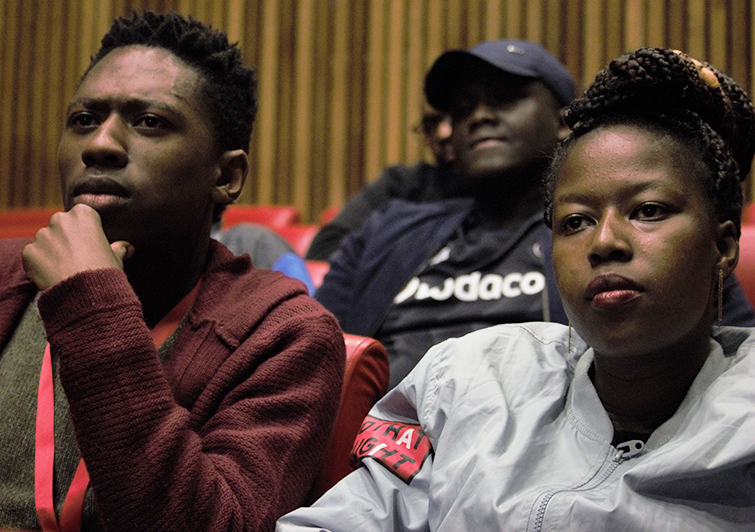
Audience members listening attentively to the presentations at the Entrepreneurship Inter-varsity on the Bloemfontein Campus.

The UFS continuously creates opportunities for students to develop and explore platforms where they can showcase their talents and share their innovative concepts. In the light of this, it is important for the institution to become a preferred academic knowledge partner that can conceptualise, develop, and successfully commercialise research activities, and through this foster an innovative and entrepreneurial culture that aligns to its Integrated Transformation Plan.

This is why opportunities such as the Entrepreneurship Intervarsity Competition are so important, since it encourages students to demonstrate their entrepreneurial talent, and through this connect with investors and industry leaders to start up a business.

The competition

Student entrepreneurs across the 26 public universities in South Africa were invited to submit their innovative ideas as part of a competition supported by Entrepreneurship Development in Higher Education (EDHE), in collaboration with the Allan Gray Orbis Foundation. The opportunities created through this initiative are twofold:

     1. For student entrepreneurs to present their innovative ideas and businesses. 
     2. For universities to demonstrate their entrepreneurial talent and the ways in which              they support and grow the next generation of business leaders.

The competition takes place in five stages. The process started with each student submitting their short videos and applications on the official competition site. Each institution also had the opportunity to select student entrepreneurs to take part in the competition. Fifteen students pitched their ideas during internal rounds at the UFS on 30 May 2019. Of these students, four were selected to represent the UFS at the regional rounds of the Entrepreneurship Intervarsity, where the finalists will be chosen. 

The students were judged in four categories:

Category 1: Innovative Ideas
Category 2: Tech Businesses (existing businesses, formal or informal, undergrad or postgrad)
Category 3: Social Impact Businesses (existing businesses, formal or informal, undergrad or postgrad)
Category 4: General (existing businesses, formal or informal, undergrad or postgrad)

The following UFS entrants were selected to take part in the regional finals: 
Christopher Rothman for his liquid yeast culture that can be used in the fermentation of beer. 
Driaan-Lou Kemp for his patented water-saving device. 
Grace Mthembu for her electricity-saving system.
Martin Clarke for his idea to use drone technology for the mining industry


News Archive

Getting out of the dark
2015-06-10


ESKOM is making daily announcements on the status of the power grid.

Anton Calitz, Electrical Engineer at University Estates, is in continuous contact with Eskom and Centlec in an effort to stay abreast of load shedding.

According to Anton, Eskom has recently - the week of 20 April - been focusing on the evening peak, and has announced STAGE 1 load shedding from 17:00-22:00; thus, the Bloemfontein Campus should be able to continue business as usual during the day, except for Thursdays from 18:00 and, possibly, Fridays from 17:00.

Where can I get more information about load shedding stages?

Apart from Eskom’s webpage, staff can also visit GRID WATCH. Click on "Search", then under "Schedules". Look for "Mangaung Local Municipality", and select "GROUP 4". Save this location. “This can even be loaded onto your mobile device.”

“The time slots can be seen for a couple of days in advance, to allow us to plan around the possibility of load shedding in our daily lives,” said Anton.

Please note: ESKOM can change the STAGE level at any time. Therefore, keep an eye on GRID WATCH and News24.

View the typical seven-day planner for the Bloemfontein Campus (Group 4), which indicates the STAGE 2 and 3 possibilities. Take note that, on some days, the STAGE 2 and 3 time slots are the same.

More load shedding tips: Your IT needs

The UFS Data Centre (Computer Room) is fully serviced by a generator facility, and can function without external power supply for a few days.

The generator servicing the UFS data centre does NOT provide power to the outlying facilities. This implies that all digital equipment at gates, booms, and access points will be shut down until the power is restored to these facilities. “We are now, in collaboration with Nico Janse van Rensburg, in a process to install UPS facilities at these points, which will ensure two to three hours of power supply at these points, even during load shedding,” said Dr Vic Coetzee, Senior Director: ICT Services.

No Wi-Fi will be available, as it is dependent on the power supply to the buildings where it is installed.

All servers are contained in the data centre, and will be kept running by our generators.

How to manage load shedding and your IT needs:

1. Get into the habit of saving your work regularly on computer so that you don’t lose your work/files during load shedding.
2. Back up important data. Keep to a schedule of regular back-up.  Make sure your computer back-ups are safe and recoverable.
3. Keep all electronic devices charged and ready to run on battery power. Keep your cellphone charged: some old-style Telkom landlines will still operate during power outages, but others won't.
4. Remember, when power supply is restored, it sometimes happens that a power surge is sent through the network, which will damage your computer.  Fortunately, laptop computers will not suffer this fate as their power is provided through an external power pack. Often, this power pack will be damaged, but not the laptop itself.
5. It makes good sense to reboot your computer daily, not only in terms of power shedding, but also in terms of updating the drivers, software, etc.
6. Switch off all computers and other electrical equipment at the wall plug overnight and on weekends.
7. Should your IT equipment not switch on after a power outage, log a call with the ICT Services. You can also call them at x2000.

More information, guidelines and contact numbers


We use cookies to make interactions with our websites and services easy and meaningful. To better understand how they are used, read more about the UFS cookie policy. By continuing to use this site you are giving us your consent to do this.

Accept